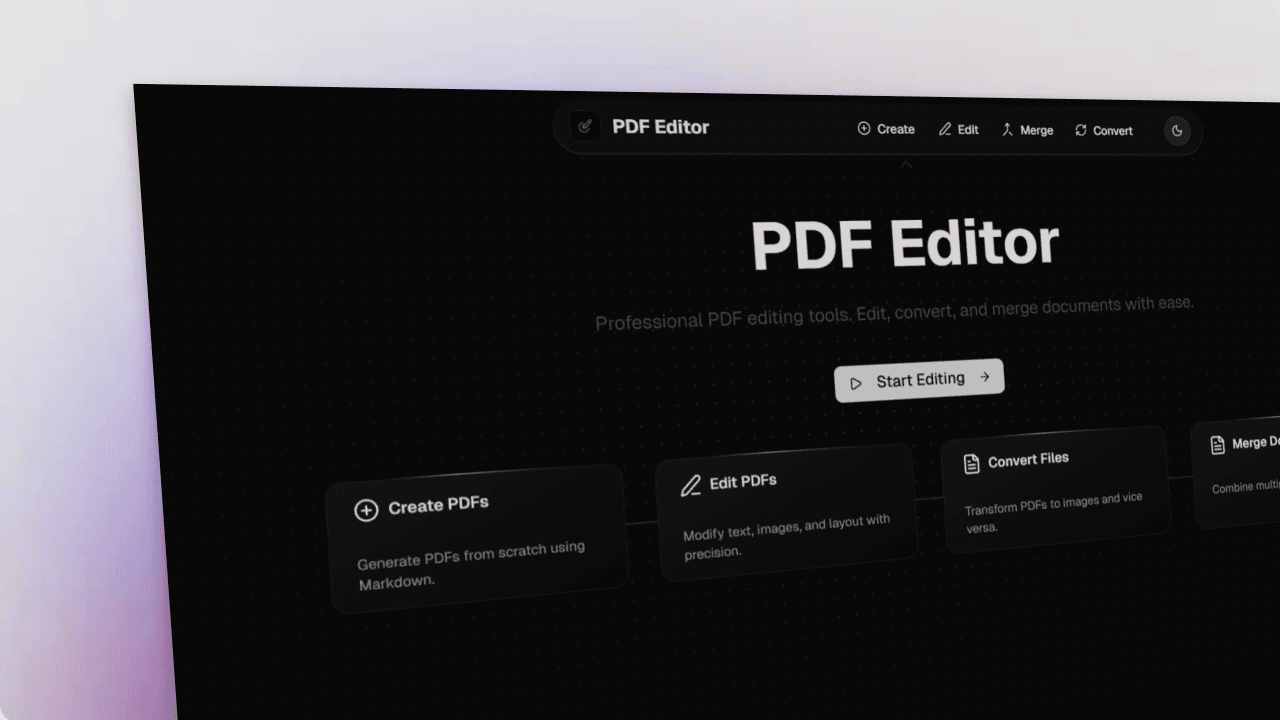
Overview
This PDF Editor is a modern, browser-based document editing platform that lets users create, edit, convert, and merge PDFs with a clean and intuitive interface. It removes the need for external software and makes PDF management fast, customizable, and seamless.
What Users Can Do
Create PDFs
Generate PDFs from scratch using Markdown with real-time preview. Users can:
- Choose page sizes (A3, A4, A5, Letter, Legal)
- Switch orientation (portrait/landscape)
- Adjust margins, fonts, and line height
- Add page numbers
- Format text with a live preview
Edit PDFs
Edit existing PDFs directly in the browser:
- Add, edit, or delete text
- Insert and resize images
- Modify layout elements
- Add annotations, highlights, or comments
Convert Files
Easily convert between formats:
- PDF → Image (PNG/JPEG) with quality controls
- Image → PDF with custom settings
- Batch processing for multiple files
Merge PDFs
Combine multiple documents into one file:
- Simple drag-and-drop interface
- Rearrange pages before merging
- Preview the final output
Why I Built This
I built this PDF editor because:
- Traditional PDF tools are either paid or bloated
- Editing PDFs usually requires desktop apps or multiple tools
- I wanted a single web-based solution for creating and modifying documents
- Markdown-to-PDF workflows were limited and not customizable
- Managing PDFs should feel modern, fast, and user-controlled — right in the browser
Tech Stack
- Next.js 15.5
- React 19
- Tailwind CSS v4
- shadcn UI
- Markdown Processing: React-markdown, remark-gfm
- PDF Tools: PDF-lib, jsPDF, React-PDF, html2canvas
- UI Enhancements: Motion, Radix UI, Lucide Icons
- File Handling: React-dropzone, JSZip
Outcome & Impact
This project significantly improved my document workflow—letting me create, edit, and convert PDFs instantly without installing anything. The feature-rich UI, smooth performance, and browser-only processing highlight my ability to build complex, high-performance web applications focused on usability and real-world productivity.